
Inbound leads
Bring new inquiries into a visible pipeline with source, owner, contact details, and the next action.
For remodelers who sell and build
Pillar keeps the lead, proposal, signed scope, project, costs, and payment connected—so the job does not restart every time it changes hands.

One operating record
The signed work stays with the job.
The Pillar product
Pillar connects the practical workflows a remodeling or construction company uses from first inquiry through project delivery and payment.
01 · Sell the work
Keep the people, conversations, appointments, and proposal behind the sale in one operating record.
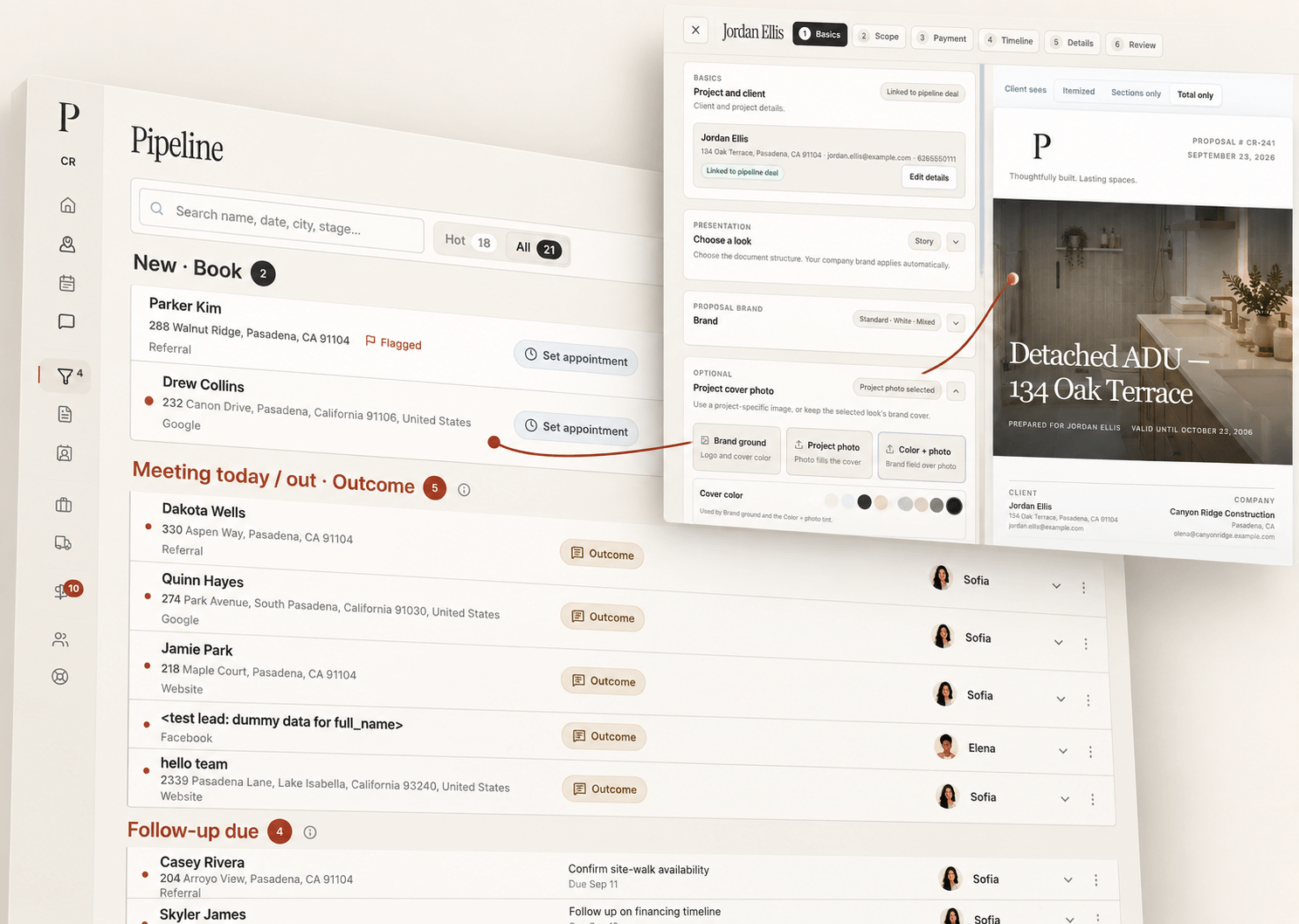
Bring new inquiries into a visible pipeline with source, owner, contact details, and the next action.
Organize opportunities by stage, coordinate sales visits, and confirm the handoff before the appointment.
Build a polished scope, pricing, client choices, visuals, and payment schedule in one client-ready proposal.
Keep internal and client communication connected to the people and work it belongs to.
Record proposal approval and use configured signature workflows for contracts and change orders.
02 · Build the job
Complete keeps the project, field record, responsibilities, and files connected to what the client approved.
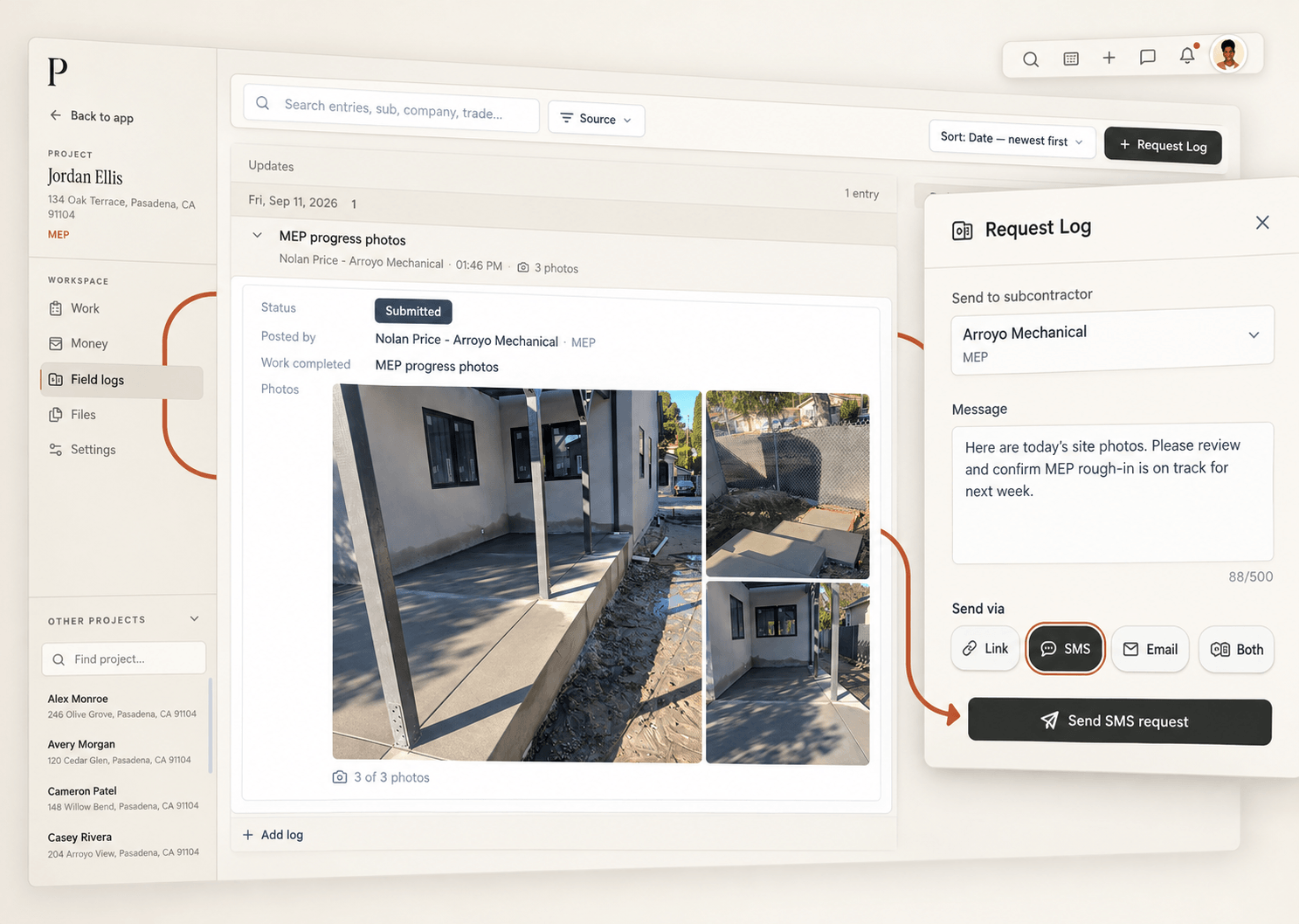
Coordinate project work, tasks, people, files, permits, service requests, vendors, and the next move.
See sales visits and project commitments in one schedule while preserving who owns each event.
Request a field log by text where messaging is configured, then keep the submitted record with the project.
03 · Know the money
Keep project money close to the work, with approval boundaries that reflect who is allowed to change financial records.
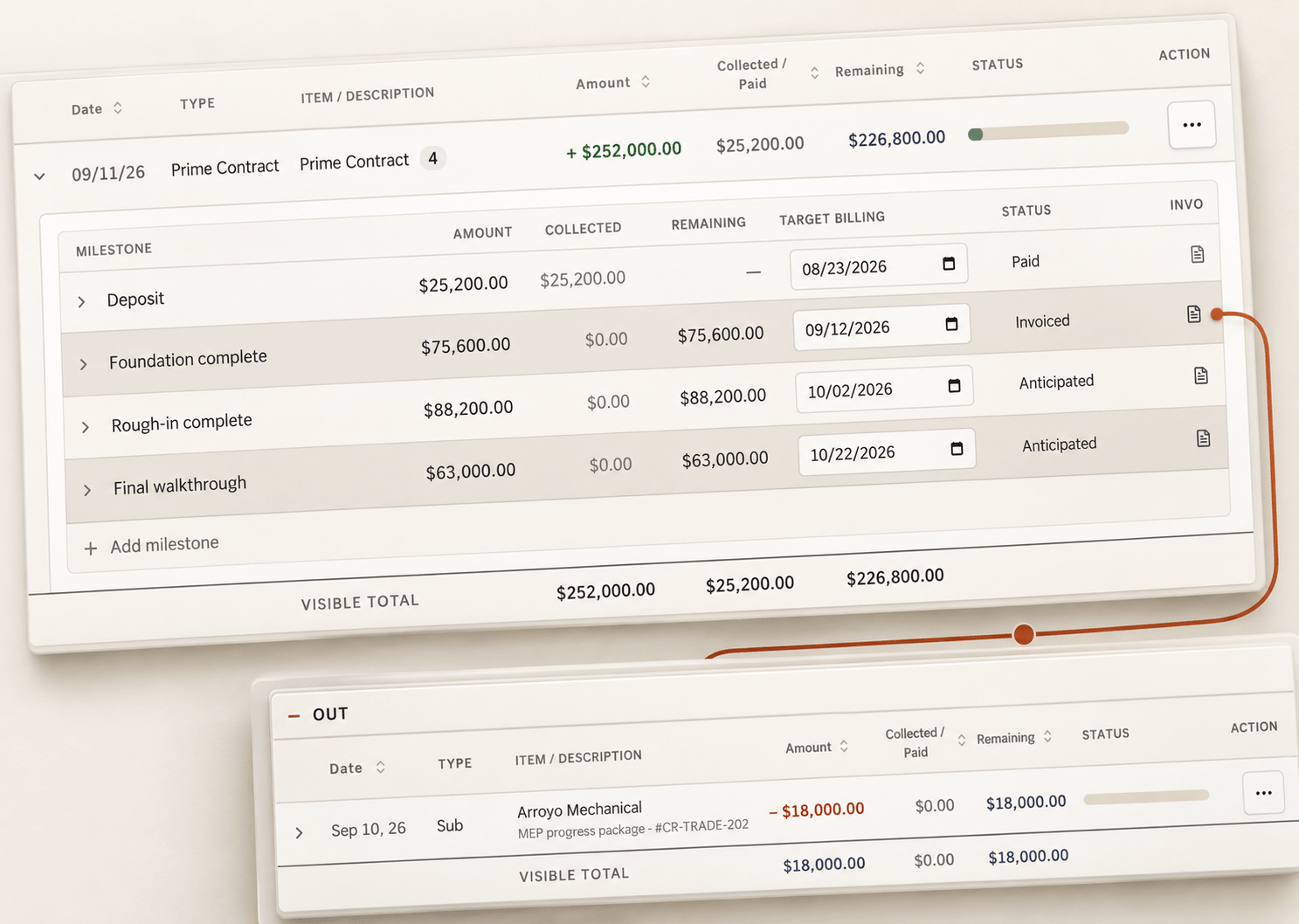
Turn eligible contract milestones and approved project adjustments into client invoices.
Track committed and paid expenses, review requests, and keep payment decisions distinct from expense acceptance.
See contracted value, collected cash, receivables, expenses, and projected margin from the same project records.
A walkthrough built around your company
Tell us where leads, projects, field updates, or money are getting disconnected. We'll focus the demo on your real workflow—not a generic tour.
No obligation · Personally reviewed
Customer zero
Thynk runs active sales, proposals, project work, field logs, and collections in Pillar. The signed scope stays with the job instead of being entered again.
A factual customer-zero case note—not a paid testimonial.
Your workflow, connected
Start with the handoff creating the most pressure today. We'll show you how the same record can carry the work forward.
Start a trial from Pricing when self-serve checkout is available, or request a demo and tell us where your workflow is getting stuck. We use that context to focus the walkthrough and setup.
Pillar uses authenticated access, company-scoped data controls, database row security, and server-side authorization. The Security and Privacy pages explain the current controls in more detail.
Your selected paid package begins automatically when the trial ends unless you cancel beforehand. If billing cannot be completed, access follows the applicable grace and read-only policy.